Monday, 5 February 2007

What's in the updated SDK


When we published our updated developer doc, we also released a new version of the SDK. Here's why you should download the latest SDK:
New samples!
The SDK has lots more sample gadgets, some of which use new features and APIs such as audio, PNG images, new options methods, and new view methods. You'll also see examples of how to use the Query API and Event API. We've even released several production-worthy samples from which more experienced developers can benefit:

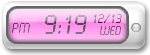
Themeable, LCD-Style Clock

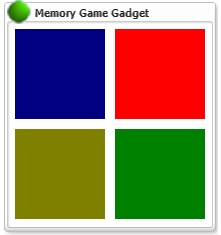
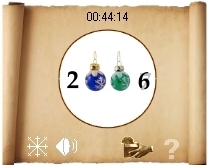
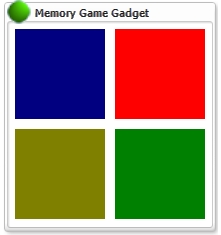
Classic Memory Game
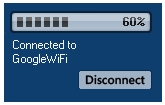
Wi-Fi Network Selector
Fireworks

Rebuilt Gadget Designer
The old Gadget Designer is incompatible with the new API. Get the new Gadget Designer so you can use new features and APIs.

Better organization
We've simplified the directory structure, added a readme file to help you find what you need, and removed some files that were either obsolete or could be easily obtained from the web.
We periodically update the SDK to add samples, improve the documentation, or fix bugs. To see whether you have the latest SDK, look at the date at the top of your SDK's api/readme.html file. (If your SDK has no api/readme.html file or the file has no date, then you definitely have an old copy!) As we write this, the latest SDK date is 24 January 2007. In the future, we'll put the latest SDK date in the News box at the upper right of the Google Desktop developer home page.

Sunday, 4 February 2007

The Danish love affair with twenty...

I'm not sure of the origin, nor are many Danes I suspect, but I noticed that the Danes, like the French(?), have a love affair with the number twenty! It is almost forgotten these days, I suspect, but a quick list of their numbers, with the full name, makes this more evident:

The numbers, after forty, are mutiples of twenty.

20 -- tyve
30 -- tredive
40 -- fyrre
50 -- halvtreds (halvtredsindstyve) lit. half from three times twenty ('sind' means times).
60 -- tres (tresindtyve) lit. three times twenty
70 -- halvfjerds (halvfjerdsindstyve) lit. half from four times twenty
80 -- firs (firsindtyve) lit. four times twenty
90 -- halvfems (halvfemsindtyve) lit. half from five times twenty

Monday, 29 January 2007

Introducing the Developer Knowledge Base


The good folks over at code.google.com have launched a Developer Knowledge Base, where most of the Google developer products are represented, including Google Desktop Gadgets. There's a series of Getting Started articles, which combined with the improved documentation and new tutorial makes it easier than ever to learn how to create gadgets. And there's a growing collection of How To's and Gadget Best Practices that can help elevate your skills.

This is just the beginning, so please post any suggestions, feedback or article ideas to our Developer Forum.

Monday, 22 January 2007

New Tutorial: Modifying Hello World


If you're at all interested in writing desktop gadgets, take a look at Modifying Hello World. It's the first of several tutorials we plan to offer. Even if you don't know XML or JavaScript, you can complete this tutorial � it gives you all the code you need. Of course, we hope that you'll go on to write your own code. To encourage that, the tutorial lists a bunch of ideas for what to do next.

Even if you're an experienced developer, you might learn something here. (OK, maybe you won't, but you'll almost certainly have ideas for improving this tutorial or writing new ones, and we'd love to hear from you.)

This tutorial covers everything you need to create your first gadget, from downloading the SDK to editing a gadget's code and packaging the gadget so other users can run it. Along the way, you'll add a bit of pizazz to the SDK's Hello World sample, in the form of animated text.

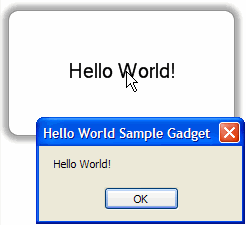
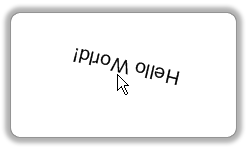
Snapshot: Hello World with boring dialog Snapshot: Hello World, upside down
The original Hello World gadget The improved Hello World gadget (with rotating text!)

And make sure to check out our Developer Forum to share your thoughts about creating desktop gadgets.

Wednesday, 20 December 2006

New Sidebars for All


Happy Holidays! Santa has delivered Google Desktop 4.5 in 27 more languages -- and the Japanese version is also coming out of beta. Now everyone can take advantage of new features, including:

Transparent Sidebar - The new Sidebar fits seamlessly with your desktop environment. Gadgets look right at home in the Sidebar and content-heavy gadgets are easier to tell apart with new frames and icons. And you can still have the Sidebar "Always on top," "not on top," or in "Auto-hide" mode.

Compatibility with the latest software - This new version is compatible with Microsoft Vista, Office 2007 and Mozilla Firefox 2.0.


The Google Desktop documentation and SDK have also been updated. It's easier than ever for first-time and experienced developers to create gadgets. We can't wait to see more of them!

Holiday Gadgets


We've released some very fun and festive gadgets just in time for the holidays! Try these out:
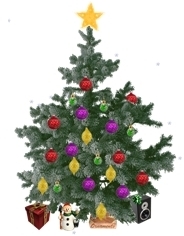
Christmas Tree Christmas Tree by EK Chung and James Yum [USA]
A tree that you can decorate. Choose lights, bows, stockings, and ornaments for your tree to add distinctive holiday cheer.
Countdown to New Year Countdown to New Year by Teodor Filimon [Romania]
A winter calendar that shows how much time is left until January 1. This gadget's main purpose is to count down these final days of the year, so be sure to have it running New Year's Eve!
GXmas Tree GX'mas Tree by Lahiru Lakmal Priyadarshana [Sri Lanka]
A nice "Xmas" tree right on your desktop, with lights that reflect your CPU usage. Choose your favorite holiday song to play in the background.
Christmas Frame Christmas Frame by Bijoy Thangaraj [India]
A dynamic Christmas frame that plays a carol when you click on the tree!
Virtual Christmas Tree Virtual Christmas Tree by Catalin Avram [Romania]
A beautiful tree that you can decorate just like a real one. (Hint: Click the Ornaments box at the bottom of the tree, choose a decoration, and then click everywhere you want the decoration to appear.) You can also listen to carols, watch the snow fall, or shop for a holiday gift.

Many thanks to the talented developers of these fine gadgets. We encourage all of you to create and share yours for holidays you celebrate. To get started, visit our Developer Site and be sure to grab the Google Desktop SDK.

Happy Holidays from the Google Desktop Team!

Monday, 11 December 2006

Developer doc updated (more to come!)


Take a look at our updated developer documentation � pages aimed at anyone who uses the Google Desktop SDK. Of course, the new doc describes the API changes in our latest release, but we've made other changes, too. The top-level and gadget doc has been reorganized, looks more like other Google API doc, and has some new navigational aids such as simplified side links and hierarchical links at the top.

We're still working on the doc. One of our short-term plans is to post code examples, so you won't have to download the SDK to see some source code. Another is to post a tutorial that leads you through writing your first gadget.

If you miss the old doc � maybe we removed a mostly obsolete or confusing page that you still find useful � you can download an archived version. See Using the Gadget API for details.

What else should we do? Please post your suggestions to the Developer Forum.