Sunday, 31 August 2008

Adding a View Source Link to a Page

I'm creating some JQuery examples and I wanted to add a view source link to each HTML page. After a little Googling I found this article on how to do it. But this just loads the page into the current window. I think it would be better if it popped up into a new windows.


Here is the code I created to view the source in a new window.


   1:<a href="javascript:void(window.open('view-source:'+document.location,
2:'_blank'))">View Source</a>

Thursday, 28 August 2008

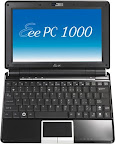
eee pc 1000 Pretty Cool


Well as you may have guessed from an earlier post, I splurged and got myself an eee PC 1000 last week. If you aren't familiar with the eee, its a line of ultra portable laptops from Asus. The machines generally weigh less than 3 pounds and can cost as little as $350. The more inexpensive models have a very small 7 inch screen, small keyboard, and limited disk storage.


The eee 1000 has a 10 inch screen with a 1024x600 resolution, a 40gig solid state hard drive (SSD), and a fairly good sized keyboard. In addition, the 1000 uses the new very power efficient Intel Atom processor. Although at $670, the 1000 isn't exactly cheap, it is a pretty good price considering what you get (the SSD being a prime example). And its really inexpensive if you compare it to the $1800 starting price of a Macbook Air.


First Impressions


Here are some of my first impressions after a week


  • The 1000 has a great screen, bright and colorful. Web surfing works well as most sites fit in the 1024 pixel width. You do end up running all your applications full screen, but the eee has a Windows like task switcher so that is not really an issue.

  • The built in speakers are amazingly good. You won't need a separate set of speakers with this laptop.

  • The Xandros Linux distro seems to be very stable and easy to use. Since its Debian based, its easy to install new applications. A much better experience than the one I had with the HP 2133 and its crappy SUSE distro.

  • Configuring the UI can be a little tough as discussed in my previous post. But just adding the Start menu solves most of those problems. I don't really plan to make many changes to the base setup.

  • Web surfing performance is quite good. I have tried the Wifi at a couple different places and sites load smoothly and quickly.


Overall I am quite impressed with this little machine. If you are interested in trying an ultra portable, but don't want to mortgage the house, give the eee pc 1000 a look.


Tuesday, 26 August 2008

iPhone Signal Complaints

I keep reading about the iPhone G3 and how it has a poor signal, etc... I have noted that the phone almost always shows only 1 or 2 bars of signal strength wherever I go. However, when I actually make calls, the actual signal is better.


I really wonder if there are real signal issues or this is merely a perceived problem because the phone doesn't show 5 bars all the time? My advice to Apple would be to just show more bars in there software and I bet that "fixes" the problem. :)

Android 0.9 SDK beta

Updated Android 0.9 SDK beta is available to download:
http://code.google.com/android/download.html

The Andoid 0.9 SDK beta includes:

  • Extensions, changes and improvements to the framework and library APIs
  • New developer tools
  • Enhancements to existing developer tools
  • Redesigns to the home screen, some applications and UI
  • Plus various other improvements throughout the system

To take advantage of these features, you need to install the new SDK and upgrade your existing Android applications. The sections below guide you through the process.

With updated Android Emulator

http://code.google.com/android/reference/emulator.html

The Android SDK includes a mobile device emulator -- a virtual mobile device that runs on your computer. The emulator lets you prototype, develop, and test Android applications without using a physical device.

The Android emulator mimics all of the typical hardware and software features of a typical mobile device, except that it can not receive or place actual phone calls. It provides a variety of navigation and control keys, which you can "press" using your mouse or keyboard to generate events for your application. It also provides a screen in which your application is displayed, together with any other Android applications running.

To help you model and test your application, the emulator lets your application use the services of the Android platform to invoke other applications, access the network, play audio and video, store and retrieve data, notify the user, and render graphical transitions and themes.

The emulator also includes a variety of debug capabilities, such as a console from which you can log kernel output, simulate application interrupts (such as arriving SMS messages or phone calls), and simulate latency effects and dropouts on the data channel.

Monday, 25 August 2008

Rockwell Turbo Incabulator Transmission

I think General Motors installed this in my 1999 Chevy Silverado Z71. It would explain the amber 'Check 4x4" light on my display panel.

Painless Acer Aspire One upgrade for wpa2-enterprise

I recently purchased an Acer Aspire One netbook running the Linpus (fedora) OS. Long story short I love it! At 1Kg it's the envy of my fellow geeks!

However I could not use it to connect to our corporate wireless network because the Linpus OS and Network Manager installed does not support WPA2-Enterprise. So starting with this conversation on the Acer Aspire One Forum here's what I did to upgrade the Network Manager:

NOTE: It would appear that the prior instructions, as of 2008-10-09, are no longer valid. Therefore a shell script and archive that contains all that I needed to update the default Network Manager to one that supports WPA2-Enterprise are stored on my google site page.

Reboot the Acer Asprie One after installing the new Network Manger and enjoy WPA2-Enterprise.

For more information about this and all things Aspire One checkout the very informative Acer Aspire One Forum.